In wedding season, a studio may have to deliver dozens of albums every week. If you are still dragging photos into Photoshop one by one, a 30-page album can easily take an entire afternoon. Dedicated wedding album design software cuts the first draft down to a few minutes, so designers can spend their time on fine-tuning — the part that truly makes a difference.
6 criteria for choosing wedding album design software
1. Auto layout that still lets you edit every detail
Auto layout is only useful if the result is good enough to keep most of it. Test it with a real photo set (both portrait and landscape shots) and check: does the software avoid cropping through faces, does it vary layouts from page to page, and after auto layout can you easily swap photos, change frames and reposition photos inside their frames?
2. A large template library — and reuse of your studio's own templates
Every studio has its own signature style. Good software should offer plenty of layouts to get started quickly, while also letting you save your designs as templates to reuse in future albums.
3. Import of your existing PSD files
Many studios already have a whole library of PSD templates. If the software can import PSDs and turn them into ready-to-use templates (keeping photo frames, text and decorations), you don't have to start from scratch.
4. Print-ready export and easy client delivery
Check the export options: JPG per spread, PDF, resolution (DPI) for your print lab, and whether you can add a logo watermark when sending proofs to clients.
5. Video from the same photo set
Wedding clients almost always want a slideshow video to share on social media. Creating the video in the same software, from the album you already designed, lets you sell an extra service with no extra work.
6. Stable performance on your studio's computers
Software that runs locally (Windows, macOS) handles heavy images faster and doesn't depend on your internet speed while you design.
Designing a wedding album with Snaply Album
- Import photos — drag the whole folder of selected photos into the project.
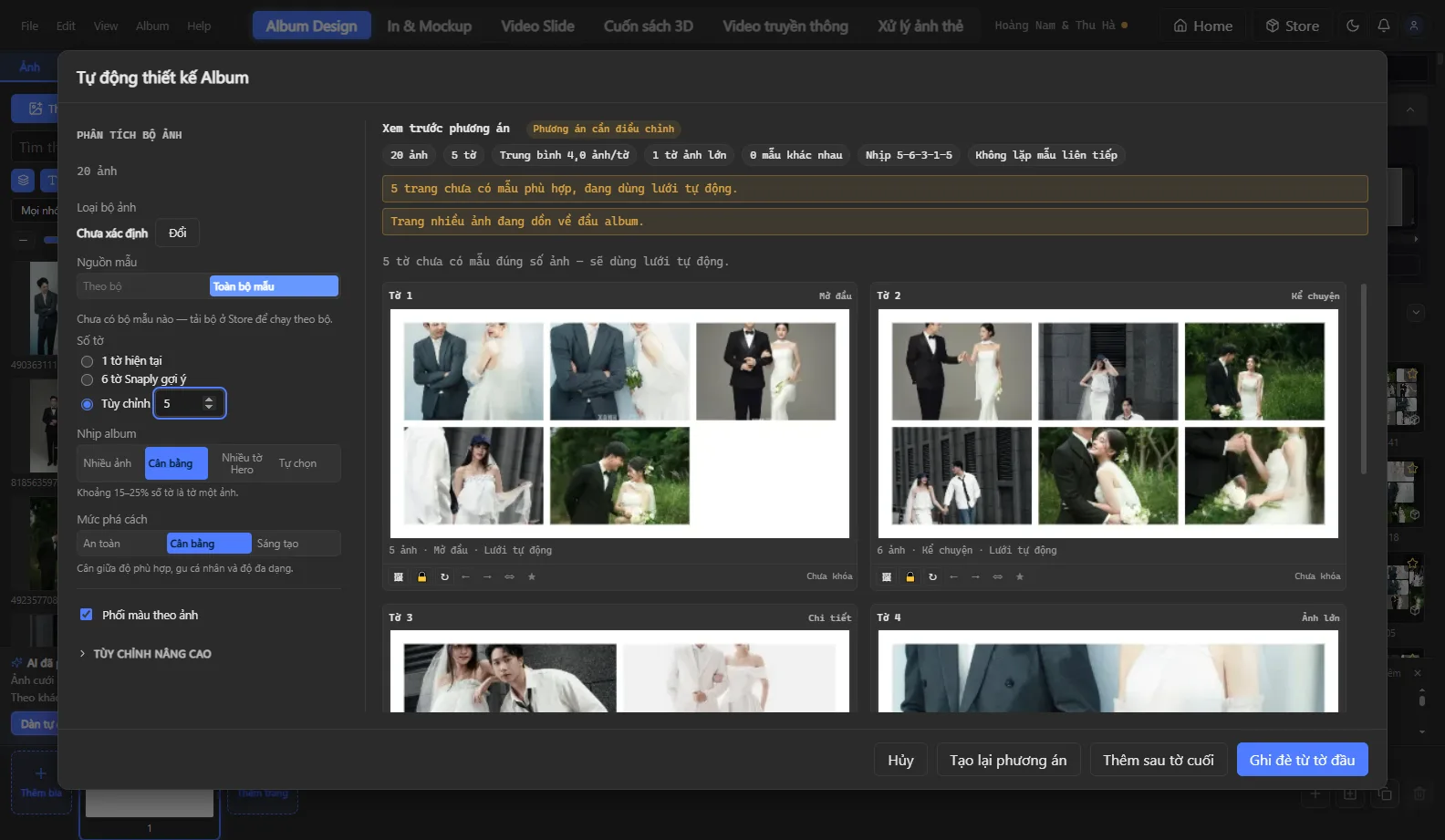
- Auto Design with template sets — pick a template set and the software lays out the entire album in seconds, keeping faces in frame when cropping.
- Fine-tune — change each page's layout, swap photos between pages with drag and drop, reposition photos inside frames, add text, decorations and color filters.
- Add highlights — create decorative lettering with AI typography, or recreate a design you love with AI template cloning.
- Export — JPG/PDF for the print lab, with a logo watermark on the proofing version for clients; preview it as a 3D book.
- Make the video — create a wedding photo slideshow video in landscape and vertical 9:16 from the same album.
When should you switch to dedicated software?
If your studio produces more than a few albums a month, the time saved on layout and export usually covers the cost on its own. The fastest way to find out is to try it with one of your real photo sets.
Download Snaply Album to try it, explore all features or see pricing.